

Table of Contents
Have you ever wondered why some startups scale effortlessly while others struggle to manage their growing customer base? The secret often lies in choosing the right Customer Relationship Management (CRM) system early in the business journey.
In today’s competitive business environment, managing customer relationships efficiently plays a major role in long-term success. Whether you’re a solo founder, a small team, or a growing startup, the right CRM helps organize customer data, automate routine tasks, and improve sales follow-ups. Many businesses turn to CRM solutions to fix issues like lost leads, scattered information, and inefficient workflows. A dependable CRM for startups centralizes customer data, supports automated marketing, and provides real-time sales tracking. At the same time, a flexible CRM for small businesses delivers powerful features without enterprise-level complexity or cost. The real challenge isn’t deciding to use a CRM—it’s selecting one that combines usability, scalability, and value to support your business as it grows.
Software / Tool Essentials & Requirements
Before diving into CRM selection, understanding the foundational requirements ensures you choose a platform that integrates seamlessly into your existing workflow. Here’s everything you need to consider:
Account Creation & Access Requirements:
Most modern CRM platforms operate on a subscription-based model with cloud hosting. You’ll typically need a business email address, company information, and payment method (credit card or PayPal). Many providers offer free trials ranging from 14 to 30 days, allowing you to test features before committing financially.
System Requirements & Supported Devices:
Today’s CRM solutions are predominantly cloud-based, accessible through web browsers (Chrome, Firefox, Safari, Edge) on both Windows and Mac operating systems. Mobile accessibility is essential—look for native iOS and Android apps that offer offline functionality. Desktop requirements are minimal, requiring only a stable internet connection and updated browser version.
Essential Integration Capabilities:
Your CRM should connect with existing business tools including:
– Email platforms (Gmail, Outlook, Office 365)
– Marketing automation tools (Mailchimp, HubSpot)
– E-commerce platforms (Shopify, WooCommerce)
– Communication tools (Slack, Microsoft Teams)
– Calendar applications (Google Calendar, Outlook Calendar)
– Payment processors (Stripe, PayPal)
– Social media platforms (Facebook, LinkedIn, Twitter)
Pricing Plans & Financial Considerations:
CRM pricing varies dramatically from free tiers to enterprise solutions costing hundreds per user monthly. Entry-level plans typically start at $12-$30 per user/month, mid-tier plans range from $30-$75, and enterprise solutions exceed $100+ per user monthly. Consider hidden costs like implementation fees, training expenses, data migration charges, and additional user licenses.
Optional Add-ons & Advanced Features:
Depending on business complexity, you might need advanced features such as:
– AI-powered lead scoring
– Custom workflow automation
– Advanced reporting and analytics
– Multi-channel marketing automation
– Telephony integration
– Custom API access
– White-label capabilities
– Dedicated account management
User Capacity & Scalability:
Evaluate current team size and projected growth. Some platforms charge per user, while others offer unlimited users with feature-based pricing. Consider whether you need role-based permissions, team collaboration features, and department-specific workflows.
Data Security & Compliance:
Ensure your chosen CRM complies with relevant regulations (GDPR, CCPA, HIPAA) and offers robust security features including SSL encryption, two-factor authentication, regular backups, and data ownership guarantees.
Setup Time / Installation & Performance

Understanding the time investment required for CRM implementation helps set realistic expectations and ensures smoother adoption across your organization.
Initial Setup Timeline:
Basic CRM setup typically takes 2-4 hours for small businesses with straightforward requirements. This includes account creation, user invitation, basic customization, and initial data import. Mid-sized implementations requiring custom fields, workflow automation, and extensive integrations may take 1-2 weeks. Enterprise deployments with complex requirements, custom development, and comprehensive training can extend to 4-12 weeks.
Configuration Steps & Complexity:
The configuration process involves several critical phases:
1. Account Initialization: Creating your company profile, setting time zones, currency preferences, and establishing admin controls (30-60 minutes)
2. User Management: Adding team members, assigning roles and permissions, configuring user profiles (1-2 hours for teams of 5-20 users)
3. Data Migration: Importing existing customer data from spreadsheets, old CRM systems, or email platforms. Clean data migration for 1,000-5,000 contacts typically requires 3-6 hours including data cleaning and validation.
4. Customization: Creating custom fields, tags, pipelines, deal stages, and contact properties specific to your business processes (2-4 hours)
5. Integration Setup: Connecting email accounts, marketing tools, calendar applications, and third-party software (2-3 hours depending on number of integrations)
6. Automation Configuration: Building email sequences, workflow automations, task assignments, and notification rules (3-5 hours for comprehensive automation)
Learning Curve Considerations:
CRM adoption varies by user technical proficiency and platform complexity. Intuitive platforms with clean interfaces require 1-2 days for basic competency, while feature-rich systems may need 1-2 weeks for full proficiency. Plan for:
– Individual training sessions (2-4 hours per user)
– Team onboarding workshops (half-day sessions)
– Ongoing learning resources (video tutorials, documentation)
– Regular check-ins during first month
Performance Expectations:
Modern cloud-based CRMs deliver near-instant page load times (under 2 seconds) with minimal latency. Performance factors include:
– Database Size: Systems handling 10,000+ contacts with extensive interaction history may experience slight delays during complex searches
– Concurrent Users: Most platforms support 100+ simultaneous users without performance degradation
– Report Generation: Complex reports with multiple data points may take 5-15 seconds to generate
– Mobile Performance: Native apps typically outperform mobile web browsers, offering faster load times and better offline functionality
Factors Affecting Usability:
Several elements influence how quickly your team adopts and effectively uses your CRM:
– User Interface Design: Clean, intuitive layouts reduce training time
– Customization Flexibility: Balance between powerful features and simplicity
– Support Resources: Quality of documentation, tutorials, and customer support
– Mobile Experience: Responsiveness and feature parity across devices
– Automation Maturity: Pre-built templates versus building from scratch
– Data Quality: Clean, organized data dramatically improves user experience
Step-by-Step Instructions
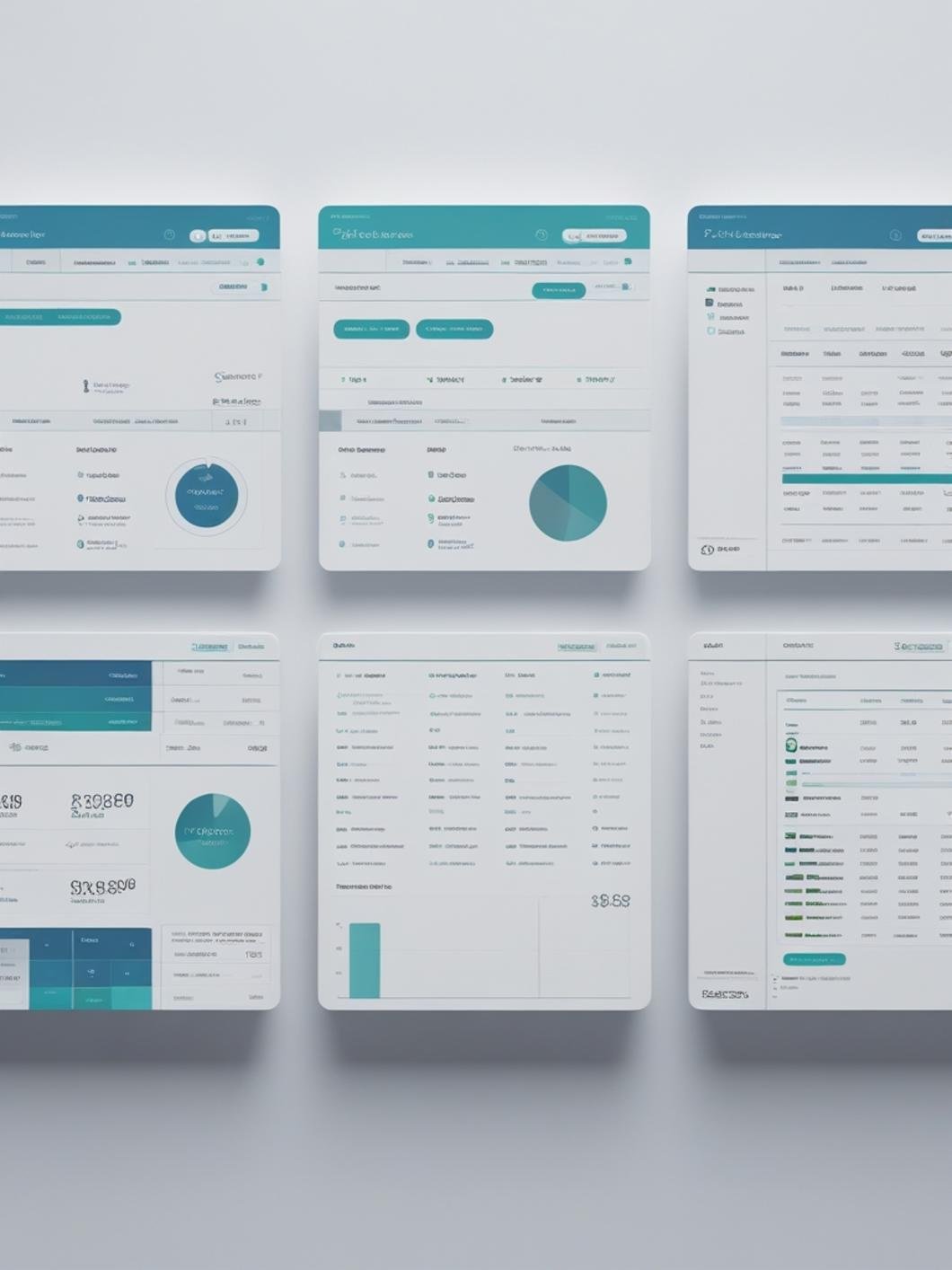
Follow this comprehensive guide to successfully implement and optimize your CRM platform for maximum business impact. Whether you’re setting up a crm for startups or a crm for small business, these actionable steps ensure smooth onboarding and rapid value realization.
Step 1: Research and Select Your CRM Platform (2-5 hours)
Begin by identifying 3-5 CRM platforms that align with your business requirements and budget. Create a comparison spreadsheet evaluating features, pricing, integrations, user reviews, and scalability. Request demos from top contenders and involve key stakeholders in the decision process. Consider starting with platforms offering generous free trials or freemium tiers.
Pro Tip: Focus on solving your three biggest pain points rather than selecting the platform with the most features. Feature bloat often leads to complexity without proportional value.
Step 2: Sign Up and Create Your Account (15-30 minutes)
Visit your chosen CRM provider’s website and locate the sign-up or “Start Free Trial” button. Provide essential information including:
– Business email address (avoid personal email addresses)
– Company name and size
– Industry category
– Primary use case (sales, marketing, customer service)
– Create a strong, unique password
Complete email verification and access your new dashboard. Most platforms guide you through an initial setup wizard—follow these prompts to establish basic configurations.
Step 3: Configure Company Settings (30-60 minutes)
Navigate to your account settings and configure:
– Company Profile: Add company logo, business address, phone number, and website
– Time Zone & Currency: Set appropriate regional settings
– Email Templates: Review and customize default email signatures and templates
– Notification Preferences: Configure what activities trigger notifications
– Privacy Settings: Establish data retention policies and user privacy controls
Best Practice: Document your configuration decisions in a shared document for future reference and team training.
Step 4: Add Team Members and Assign Roles (30-45 minutes)
Invite team members by navigating to the user management section. For each user:
– Enter their business email address
– Assign appropriate role (Admin, Manager, Sales Rep, Marketing, Support)
– Set permission levels (view, edit, delete, export)
– Assign to specific teams or departments
Send personalized invitation emails explaining why you’ve chosen this CRM and what benefits they’ll experience. Include links to training resources.
Pro Tip: Start with a small pilot group of 3-5 power users before rolling out company-wide. Their feedback helps refine processes before broader adoption.
Step 5: Import Existing Customer Data (1-3 hours)
Clean and prepare your existing data before import:
1. Export contacts from current systems (spreadsheets, old CRM, email platforms)
2. Standardize data formats (consistent date formats, phone number formats, address structures)
3. Remove duplicates using tools like Excel’s duplicate removal or specialized data cleaning software
4. Create required custom fields in your CRM that match your data structure
5. Use the CRM’s import wizard to upload CSV or Excel files
6. Map columns from your spreadsheet to CRM fields
7. Run a test import with 10-20 records first
8. Review for errors, then complete full import
9. Manually verify a sample of imported records for accuracy
Best Practice: Maintain a backup of your original data file before importing. Consider segmenting large imports into batches of 5,000 records.
Step 6: Customize Fields, Pipelines, and Deal Stages (2-4 hours)
Tailor your CRM to match your specific sales process:
Custom Fields: Create fields that capture information unique to your business:
– Industry-specific qualifiers (company size, technology stack, budget range)
– Lead source tracking (referral, organic search, paid ads, trade show)
– Custom tags for segmentation (decision-maker, influencer, end-user)
Sales Pipelines: Design pipelines reflecting your actual sales stages:
– Lead Qualification → Initial Contact → Discovery Call → Proposal Sent → Negotiation → Closed Won/Lost
– Assign probability percentages to each stage
– Set expected duration for each phase
Deal Properties: Configure deal-specific information:
– Deal value/revenue
– Expected close date
– Product/service categories
– Decision timeline
– Competitor information
Pro Tip: Keep your initial setup simple—you can always add complexity later. Start with 5-7 pipeline stages maximum.
Step 7: Connect Essential Integrations (1-3 hours)
Integrate your CRM with existing business tools:
Email Integration:
– Connect Gmail or Outlook for automatic email syncing
– Enable two-way sync (CRM activities appear in email, email conversations logged in CRM)
– Set up email tracking to monitor open and click rates
Calendar Integration:
– Sync Google Calendar or Outlook Calendar
– Enable automatic meeting logging
– Set up scheduling links for prospect booking
Marketing Tools:
– Connect email marketing platforms
– Set up form integrations for website lead capture
– Configure social media monitoring
Communication Platforms:
– Integrate Slack or Microsoft Teams for activity notifications
– Set up telephony integration for call logging
– Connect live chat tools
Best Practice: Implement integrations gradually, testing each thoroughly before adding the next one. Monitor for data syncing issues during the first week.
Step 8: Build Automation Workflows (2-5 hours)
Create automated workflows to reduce manual work:
Lead Nurturing Sequences:
– Design email drip campaigns for new leads
– Set trigger conditions (form submission, tag added, deal stage change)
– Create multiple touchpoints over 2-4 weeks
– Include valuable content, not just sales pitches
Task Automation:
– Auto-assign leads to team members based on territory, product interest, or round-robin
– Create follow-up task reminders for inactive deals
– Generate notifications for high-value opportunities
Data Enrichment:
– Set up automatic field updates based on behavior
– Create lead scoring rules that adjust based on engagement
– Trigger alerts when leads reach specific scores
Pro Tip: Start with 2-3 simple automations and expand gradually. Over-automation early on creates complexity that slows adoption.
Step 9: Configure Reporting and Dashboards (1-2 hours)
Set up visibility into key performance metrics:
– Sales pipeline value and velocity
– Conversion rates by stage
– Individual and team performance metrics
– Lead source ROI
– Activity metrics (calls made, emails sent, meetings scheduled)
– Revenue forecasting reports
Create role-specific dashboards:
– Sales Reps: Personal pipeline, daily tasks, top opportunities
– Managers: Team performance, pipeline health, forecasting
– Executives: High-level metrics, revenue trends, strategic KPIs
Step 10: Train Your Team (Ongoing, 2-4 hours initial training)
Conduct comprehensive training covering:
– Navigation and basic functionality
– Daily workflows (logging calls, creating contacts, updating deals)
– Email integration usage
– Mobile app features
– Reporting capabilities
– Best practices for data entry
Provide resources:
– Quick reference guides
– Video tutorials for common tasks
– Regular Q&A sessions
– Designated internal CRM champion for questions
Best Practice: Schedule 30-day and 60-day follow-up training sessions to address emerging questions and introduce advanced features.
Step 11: Establish Data Quality Standards (1-2 hours documentation)
Create guidelines ensuring data consistency:
– Contact information formatting standards
– Required versus optional fields
– Tagging conventions
– Note-taking best practices
– Deal value estimation methods
– Activity logging requirements
Assign a data quality owner responsible for periodic audits and cleanup.
Step 12: Monitor Adoption and Optimize (Ongoing)
Track usage metrics:
– Login frequency by user
– Records created/updated
– Activity logging compliance
– Feature utilization rates
Gather feedback regularly and iterate on processes. Celebrate wins where CRM usage directly contributed to closed deals or improved efficiency.
Benefits / Advantages
Implementing the right CRM platform delivers transformative benefits across your entire organization:
Centralized Customer Intelligence:
Eliminate information silos by consolidating customer data, interaction history, purchase records, and communication threads in a single, accessible location. Team members access complete customer context before every interaction, enabling personalized, informed conversations that build stronger relationships.
Automated Workflows and Time Savings:
Reduce time spent on repetitive administrative tasks by 40-60% through intelligent automation. Email sequences, follow-up reminders, data entry, lead routing, and task assignments happen automatically based on predefined triggers, freeing your team to focus on high-value activities like relationship building and strategic planning.
Improved Sales Pipeline Visibility:
Gain real-time visibility into your entire sales pipeline, identifying bottlenecks, forecasting revenue accurately, and spotting at-risk deals before they stall. Visual pipeline management helps prioritize efforts, allocate resources effectively, and make data-driven decisions about where to invest time and energy.
Enhanced Collaboration:
Break down departmental barriers by enabling seamless collaboration between sales, marketing, and customer service teams. Shared notes, activity timelines, and internal mentions ensure everyone stays informed about customer needs, preventing duplicate efforts and mixed messages.
Data-Driven Decision Making:
Access comprehensive analytics and customizable reports that reveal patterns in customer behavior, sales performance, marketing effectiveness, and operational efficiency. Identify which lead sources deliver highest conversion rates, which sales tactics work best, and where process improvements yield maximum impact.
Scalability Without Complexity:
Modern CRM platforms grow alongside your business, accommodating increasing contact volumes, additional users, expanded feature needs, and more sophisticated workflows without requiring platform migrations or painful upgrades.
Mobile Productivity:
Empower your team with full CRM functionality on smartphones and tablets. Log calls, update deals, access customer information, and respond to leads immediately—even when away from the desk—ensuring no opportunity slips through the cracks.
Integration Ecosystem:
Connect your CRM with 100+ business tools including email platforms, marketing automation, accounting software, e-commerce systems, and communication tools. This creates a unified technology stack where data flows seamlessly between applications, eliminating manual data entry and synchronization headaches.
Cost Efficiency:
Modern all-in-one platforms combine sales CRM, marketing automation, and customer service capabilities in a single solution, eliminating the need for multiple expensive tools. EngageBay, for example, provides comprehensive functionality at a fraction of the cost of competitors like HubSpot or Salesforce, making enterprise-level capabilities accessible to businesses with limited budgets.
Improved Customer Experience:
Deliver consistent, personalized experiences across all customer touchpoints. Automated follow-ups ensure timely responses, comprehensive history prevents customers from repeating information, and proactive service based on usage patterns increases satisfaction and retention.
Compliance and Security:
Enterprise-grade security features protect sensitive customer information with encryption, access controls, audit trails, and compliance with regulations like GDPR and CCPA. Built-in consent management and data retention policies reduce legal risk.
Tips, Alternative Methods, or Use Cases
Maximizing CRM Value Through Strategic Implementation:
Start Small, Scale Gradually:
Rather than activating every feature immediately, begin with core contact management and sales pipeline functionality. Add marketing automation, customer service, and advanced features incrementally as your team masters each layer. This phased approach prevents overwhelming users and ensures sustainable adoption.
Segment Your Audience Strategically:
Create detailed customer segments based on industry, company size, buying stage, engagement level, and behavior patterns. Use these segments to deliver targeted messaging, personalize outreach, and prioritize high-value prospects. Advanced segmentation transforms generic campaigns into relevant, conversion-driving communications.
Implement Lead Scoring:
Develop a point-based system that automatically scores leads based on demographic fit (company size, industry, role) and behavioral engagement (website visits, email opens, content downloads). Focus your team’s attention on high-scoring leads most likely to convert, dramatically improving efficiency and conversion rates.
Create Templates for Common Scenarios:
Build libraries of email templates, proposal documents, onboarding sequences, and meeting agendas for frequently recurring situations. Templating doesn’t mean impersonal—use dynamic fields to automatically personalize each communication while maintaining consistency and saving time.
Leverage Mobile CRM for Field Productivity:
For sales teams frequently meeting clients in person, mobile CRM apps become indispensable. Log meeting notes immediately after conversations while details are fresh, check customer history during travel between appointments, and update deal progress in real-time rather than batch-updating back at the office.
Alternative CRM Implementation Approaches:
Industry-Specific Customization:
Tailor your CRM to match industry-specific workflows. Real estate agents might emphasize property tracking and showing schedules, while consulting firms focus on project milestones and billable hours. SaaS companies prioritize trial conversion tracking and usage metrics. Customize fields, pipelines, and reports to match your unique business model.
Multi-Channel Attribution:
For businesses with complex customer journeys spanning multiple touchpoints (organic search, paid ads, social media, referrals, events), implement multi-touch attribution tracking. This reveals which marketing channels contribute to conversions, enabling smarter budget allocation and strategy refinement.
Customer Success and Retention Focus:
Beyond acquiring new customers, use CRM for retention and expansion. Track customer health scores, usage patterns, support tickets, and renewal dates. Proactive outreach based on engagement trends reduces churn and identifies expansion opportunities.
Partner and Channel Management:
For businesses working with resellers, affiliates, or implementation partners, create separate pipelines tracking partner relationships. Monitor partner performance, provide co-marketing resources, and manage deal registration to prevent channel conflict.
Practical Use Cases Across Business Types:
Startups and Early-Stage Companies:
Focus on validating product-market fit by tracking which customer segments show strongest engagement and conversion. Use CRM data to refine ideal customer profiles and prioritize feature development based on customer feedback patterns.
Service-Based Businesses:
Manage client projects, track billable hours, schedule appointments, and automate service delivery workflows. Integrate with project management tools to provide complete visibility from initial inquiry through project completion.
E-commerce and Retail:
Sync product catalogs, track purchase history, segment customers by buying behavior, and create automated re-engagement campaigns for abandoned carts or dormant customers. Integration with e-commerce platforms enables personalized product recommendations.
B2B Sales Organizations:
Manage complex, multi-stakeholder sales processes with long sales cycles. Track all decision-makers within target accounts, coordinate team selling activities, and maintain detailed notes on organizational politics and purchasing processes.
Non-Profit Organizations:
Manage donor relationships, track donation history, segment supporters by engagement level and giving capacity, and automate thank-you communications. Create specialized pipelines for grant applications and major gift cultivation.
Alternative Software Options to Consider:
While comprehensive platforms like EngageBay offer exceptional all-in-one value, certain scenarios might benefit from specialized alternatives:
For Enterprise Complexity: Salesforce provides extensive customization and enterprise scalability but comes with significantly higher costs and complexity.
For Marketing-First Organizations: HubSpot excels at inbound marketing but carries premium pricing for full CRM features.
For Simplicity: Pipedrive offers straightforward pipeline management ideal for small sales teams focused primarily on deal tracking.
For Integration Flexibility: Zoho CRM provides extensive integration options with Zoho’s broader business application suite.
However, for most small to medium businesses seeking comprehensive functionality without enterprise-level investment, EngageBay delivers optimal balance of features, usability, and affordability.
Common Mistakes & Fixes

Mistake #1: Insufficient Data Cleanup Before Migration
Problem: Importing messy, duplicate-laden data from spreadsheets or old systems creates immediate usability problems. Users lose confidence in data accuracy and waste time sorting through duplicate records and incomplete information.
Fix: Dedicate time to thorough data cleaning before import. Use Excel’s duplicate removal features, standardize formatting (especially phone numbers and dates), fill incomplete records, and remove outdated contacts. Consider using dedicated data cleaning tools like DataLadder or Validity DemandTools. A clean foundation prevents ongoing frustration.
Mistake #2: Over-Customization Too Quickly
Problem: Creating dozens of custom fields, complex automation workflows, and elaborate pipelines before understanding actual usage patterns leads to unnecessary complexity that confuses users and slows adoption.
Fix: Start with minimal customization—just enough to match your core business process. Use your CRM for 30-60 days with basic configuration, then analyze which additional fields or automations would genuinely add value. Let actual usage patterns guide customization decisions rather than hypothetical scenarios.
Mistake #3: Inadequate User Training
Problem: Assuming CRM platforms are intuitive enough to skip formal training results in users reverting to old habits (spreadsheets, personal email folders, paper notes) while technically “using” the CRM but deriving minimal value.
Fix: Invest in comprehensive initial training covering not just button-clicking, but why proper CRM usage matters and how it makes their jobs easier. Create role-specific training focused on daily workflows. Schedule follow-up sessions at 30 and 60 days to address emerging questions. Designate internal CRM champions as go-to resources for peer support.
Mistake #4: Ignoring Mobile Requirements
Problem: Selecting a CRM with poor mobile functionality handicaps field sales teams and remote workers who need on-the-go access to customer information and activity logging.
Fix: During your evaluation process, extensively test mobile apps on both iOS and Android devices. Verify that key workflows (logging calls, updating deals, accessing contact information, checking tasks) work smoothly on smartphones. Prioritize platforms with native mobile apps rather than just mobile-responsive websites for better performance and offline capability.
Mistake #5: Treating CRM as IT Project Rather Than Business Initiative
Problem: Delegating CRM selection and implementation entirely to IT or a single administrator without involving actual users results in a system that meets technical requirements but fails to support real-world workflows.
Fix: Form a cross-functional implementation team including sales representatives, marketing staff, customer service agents, and management. Gather input on pain points, desired features, and workflow requirements. Include end-users in vendor demos and trial evaluations. Secure executive sponsorship to emphasize importance and ensure adequate resources.
Mistake #6: No Clear Data Entry Standards
Problem: Without established guidelines, each user enters information differently—some use tags liberally, others ignore them; some write detailed notes, others leave fields blank; contact information formats vary wildly. This inconsistency makes reporting meaningless and information difficult to find.
Fix: Document clear data entry standards covering required versus optional fields, formatting conventions (phone numbers, company names, job titles), tagging protocols, note-taking expectations, and activity logging requirements. Make these standards easily accessible and reference them during training. Assign a data quality owner who conducts periodic audits and provides gentle correction when standards aren’t followed.
Mistake #7: Setting and Forgetting
Problem: Implementing your CRM with initial fanfare but providing no ongoing support, optimization, or accountability leads to gradual abandonment as users encounter issues and revert to previous methods.
Fix: Schedule regular check-ins (weekly initially, then monthly) to review usage metrics, gather feedback, address obstacles, and celebrate successes. Share reports showing how CRM usage correlates with closed deals and improved efficiency. Continuously optimize processes based on real-world experience. Treat CRM as a living system requiring ongoing attention rather than a one-time project.
Mistake #8: Unrealistic Automation Expectations
Problem: Expecting automation to magically solve all problems without understanding that effective automation requires careful setup, ongoing refinement, and regular monitoring.
Fix: Start with simple, single-step automations (send welcome email when contact is created) before building complex, multi-branch workflows. Test automations thoroughly using test contacts before activating for your entire database. Monitor automation performance metrics (open rates, conversion rates, unsubscribe rates) and refine based on results. Remember that automation supports human relationships but doesn’t replace them.
Mistake #9: Neglecting Integration Dependencies
Problem: Failing to understand how integration failures affect CRM functionality—especially email syncing, which is foundational for most CRM value.
Fix: During setup, thoroughly test critical integrations. For email sync, send test messages and verify they appear in CRM timelines. Check that calendar events sync bidirectionally. Monitor integration health regularly and address disconnections immediately. Understand each integration’s data sync frequency (real-time versus periodic) to set appropriate expectations.
Mistake #10: Choosing Based on Price Alone
Problem: Selecting the cheapest option without considering feature limitations, scalability constraints, poor support quality, or hidden costs leads to premature platform switches and wasted migration effort.
Fix: Evaluate total cost of ownership including implementation time, training requirements, integration costs, potential add-ons, and switching costs if the platform doesn’t meet needs. Sometimes paying moderate premiums for better support, more intuitive interfaces, or superior features delivers substantially better ROI than rock-bottom pricing.
Conclusion
Selecting and implementing the right CRM platform represents one of the most impactful technology decisions for growing businesses. Throughout this guide, we’ve explored the essential requirements, setup processes, strategic implementation steps, and common pitfalls to avoid when deploying a comprehensive customer relationship management system.
The key takeaways are clear: successful CRM adoption requires thoughtful planning, clean data migration, comprehensive training, and ongoing optimization. Start with core functionality before layering in advanced features, involve end-users throughout the selection and implementation process, and establish clear data standards that ensure consistency and usability. Whether you’re implementing a crm for startups focused on rapid growth and scalability, or a crm for small business emphasizing affordability and ease of use, the principles of successful implementation remain consistent.
For businesses seeking a balanced solution that combines powerful features, intuitive usability, and exceptional value, EngageBay stands out as a compelling all-in-one platform. Unlike expensive enterprise solutions that overwhelm small teams with unnecessary complexity, or limited free tools that quickly outgrow business needs, EngageBay delivers comprehensive sales, marketing, and service automation capabilities at pricing accessible to startups and growing companies. Its unified approach eliminates the technical headaches and cost burdens of managing multiple disconnected tools while providing the advanced functionality typically reserved for enterprise software.
The investment you make in properly implementing your CRM will pay dividends through improved sales efficiency, enhanced customer relationships, and data-driven decision making. Take the time to do it right, involve your team in the process, and commit to ongoing optimization based on real-world usage patterns. Your CRM isn’t just software—it’s the foundation for sustainable, scalable growth in an increasingly competitive business environment.
FAQs
Q1: How long does it typically take to see ROI from CRM implementation?
Most businesses begin seeing measurable benefits within 60-90 days of implementation. Early wins include time savings from automation (20-40% reduction in administrative tasks), improved lead response times (responding to inquiries 3-5x faster), and better pipeline visibility enabling more accurate forecasting. Full ROI—including increased conversion rates, higher deal values, and reduced customer churn—typically materializes within 6-12 months as processes mature and teams develop proficiency with advanced features.
Q2: Can I migrate data from my current CRM to a new platform without losing information?
Yes, data migration between CRM platforms is standard practice, though thoroughness varies by complexity. Most modern CRMs support CSV file imports and many offer direct migration tools for popular platforms. The process involves exporting your data, cleaning and formatting it appropriately, mapping fields between old and new systems, and importing in stages. Contact records, deal history, and custom fields typically migrate smoothly. Email thread history and certain integrations may require special handling. Professional migration services are available for complex scenarios, typically costing $500-$5,000 depending on data volume and customization requirements.
Q3: What’s the difference between free CRM plans and paid tiers—are free versions sufficient?
Free CRM plans provide basic contact management, simple deal tracking, and limited automation suitable for very small teams (1-5 users) with straightforward needs. However, they typically include significant limitations: restricted contact or user caps, reduced email sending limits, limited integrations, basic reporting only, no phone support, and prominent branding. Paid tiers unlock advanced features like comprehensive automation, marketing capabilities, detailed analytics, priority support, custom reporting, API access, and scalability. For growing businesses, paid plans quickly justify their cost through efficiency gains and revenue impact. Consider free tiers as extended trials rather than long-term solutions.
Q4: How much training time should I allocate for CRM adoption?
Plan for 2-4 hours of initial structured training per user covering navigation, daily workflows, and best practices. This should include hands-on practice with real data in a training environment. Schedule 30-minute follow-up sessions at 30 and 60 days to address emerging questions and introduce intermediate features. Beyond formal training, budget 1-2 weeks for users to reach basic proficiency and 4-6 weeks for confident, efficient usage. Power users and administrators require 8-12 hours of advanced training covering customization, automation building, and reporting. Ongoing learning through short “tip of the week” communications helps continuously improve proficiency.
Q5: What should I do if my team resists using the new CRM system?
Resistance usually comes from unclear value, poor training, or workflow friction. Start by clearly showing how the CRM makes daily tasks easier, not just adds reporting work. Involve resistant team members in improvement discussions, as their feedback often highlights real usability issues. Tie CRM usage to performance reviews or incentives, and publicly share wins where the CRM helped close deals or solve problems. Leadership should actively use the system to set the example, and when resistance continues, one-on-one coaching often resolves specific concerns through targeted training or simple configuration changes.